Dubai AI Coach
Four people. Four AI avatars. One live event. We built a system for simultaneous conversations on a giant LED wall — with audio isolation, smart triggers, and on-site support.
A client came to us with a bold request for a live event: four people standing in front of a big LED wall, each having their own real-time conversation with a different AI avatar — all at the same time.
We handled everything from the first sketch to choosing the right tools, building the app, and supporting the team on-site. Here’s how we made it work, the challenges we faced, and how we fixed them in the moment.
The Real Challenges
A few practical limits shaped the whole project:
- Four people, one computer. Each guest needed their own headset and a private conversation with a different avatar. No audio mixing or interference allowed.
- Avatars on top of live visuals. The characters had to appear cleanly over moving graphics inside TouchDesigner. Regular web browsers couldn’t handle true transparency with external video, so a normal website wasn’t an option.
- Two ways to start. Avatars needed to wake up when someone walked up (camera detection) or when a guest said “Hello Avatar.”
- Tight timeline. We didn’t have time to build custom streaming systems from the ground up.
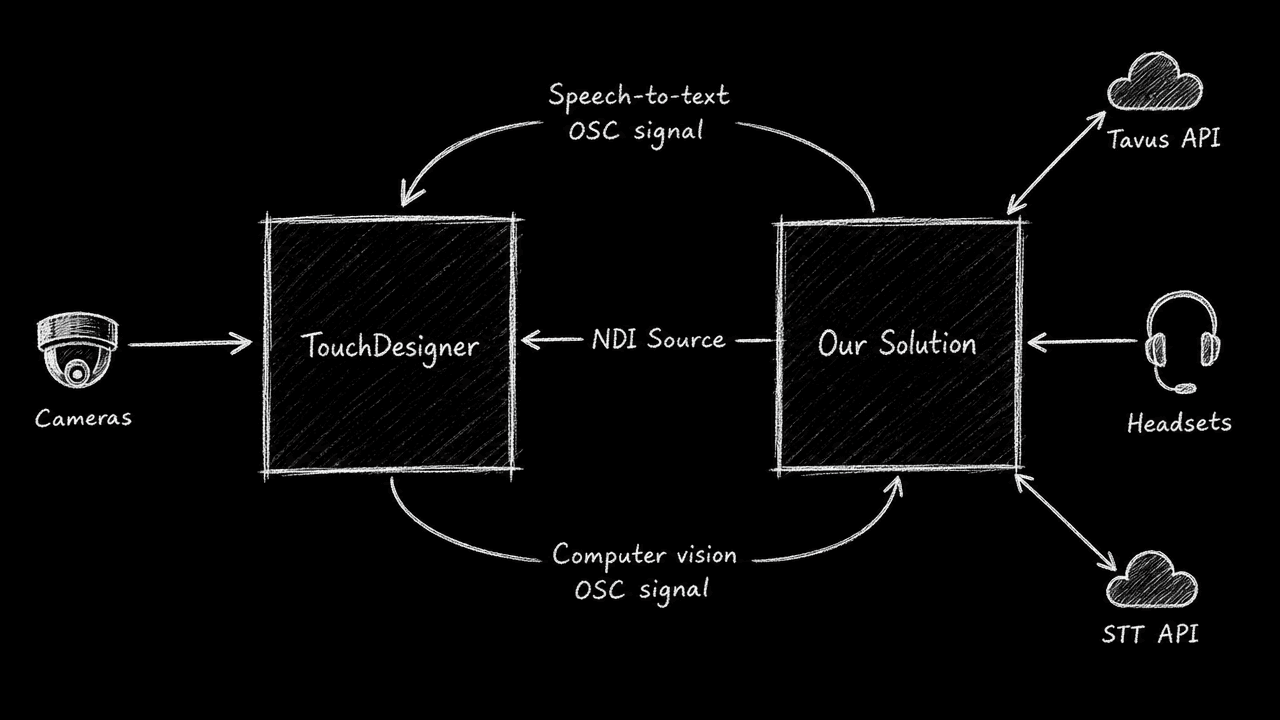
System design overview of the solution
How We Built It
1. Smart audio routing for four separate conversations
We used Tavus.ai for the avatars and their ready-made Daily.js tools for the video calls. The catch: Daily.js wasn’t made to run four independent sessions on one screen.
So we created a custom desktop app with Electron. This gave us clean transparent backgrounds and full control over the computer’s audio system. We connected four physical microphones and headsets directly to four separate avatar streams — no cross-talk, no collisions.
2. Smooth video and smart triggers
The app sent low-latency video feeds straight into TouchDesigner using NDI, so the avatars layered perfectly on the LED wall.
TouchDesigner watched the cameras and sent simple messages to wake the right avatar when someone approached.
3. Quick switch on speech detection
We first planned to run speech recognition locally on the computer for the “Hello Avatar” trigger. It worked great on Macs with Apple Silicon "M" chips during testing. But on the Windows laptop at the venue, running four instances at once slowed everything down.
We switched the speech recognition to the cloud on the spot. Response times stayed fast and the computer stayed cool.
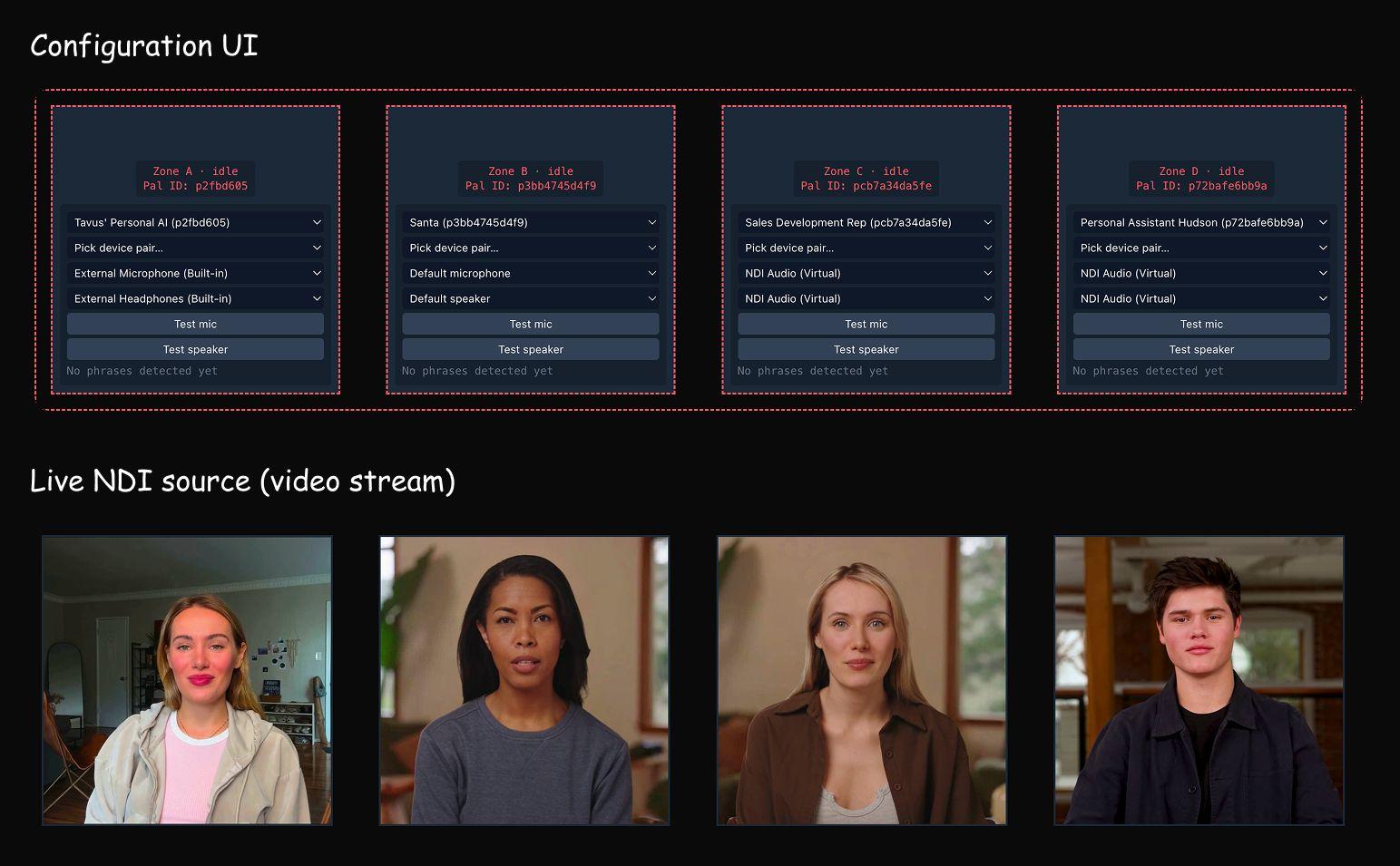
App configuration and NDI source preview
On-Site Support
Building the app was only half the job. Our team stayed on-site the entire setup and rehearsal period, ready to help with configuration and make any needed adjustments right away so everything ran smoothly when the event started.
The Result
We delivered a working, responsive interactive installation under real deadline pressure by combining proven tools (Tavus and Daily.js) with practical custom solutions (audio routing, NDI, and Electron).
Have a complex interactive idea for an event or spatial experience? Let’s talk about how we can build it together.